The Cozy Board Game Shop: Tidy Up - Beginner's Guide and Settings
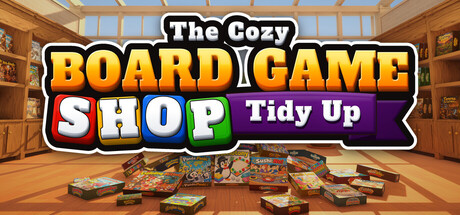
How to clear 3,816 scattered boxes without wasted trips: a first-hour routine, which skills to buy, getting around both floors, PC settings and how the cheat table fits in.
What the Game Asks of You
You take over a board game shop where every box has ended up on the floor, and your job is to put each one back. That means 318 games with twelve copies each, sorted into 15 categories across two floors. When a section holds all twelve copies of its game, it lights up in a cascade of little boxes, and that is the clearest sign you are getting somewhere.
There are no timers, and you can save whenever you like, with Steam Cloud support listed on the store page. So efficiency only matters as far as it keeps things enjoyable. Every game you shelve earns XP, XP turns into skill points, and those skills are what make the later hours quicker than the first.
- Treat each game's twelve copies as a small goal; completed sections are your real progress marker.
- Save before you quit. You can do it at any moment.
- Nothing punishes you for leaving a half-sorted stack and wandering off.
A Calm First-Hour Routine
With no skills unlocked, you rely on your eyes and your carry stack. Pick one category, walk its area and scoop up every loose box nearby, whatever the title, then shelve what belongs there before moving on. You can carry a whole stack at once and cycle through it with the mouse wheel, so reaching a specific copy rarely means putting everything down.
Strays that belong across the room don't need a dedicated trip. You can toss a box, which is useful for lobbing it roughly toward its category and collecting it later in one pass. Your first completed sections will probably come from whichever category has the most copies lying near where you start.
- Grab everything in reach first, sort at the shelf second.
- Use the mouse wheel to bring the right copy to the top instead of dropping the stack.
- Toss far-off strays toward their category and collect them in one sweep.
- Finish nearly complete sections first for visible progress.
Spending Skill Points
Seven skills are on offer, four active and three passive, and the store names four of them. Copy Sense reveals every loose copy of the game you are holding, which tackles the most tedious job in the game: finding the last one or two boxes of a title. Magnet Hands pulls nearby copies to you, Quick Stack fills a shelf in one go, and Smart Stack sorts your stack as you look at the shelves. Faster running and carrying more games at once are also on the list.
Copy Sense is the best early pick for most players, since hunting stragglers is where the minutes go. Extra carry capacity pairs well with it: you can sweep a room for one title and pick up others along the way. Quick Stack and Smart Stack mostly save button presses, so they pay off once your stacks are large. Running speed matters more than it sounds on a two-floor shop, particularly when the remaining boxes are split between levels.
- First points: Copy Sense, then extra carry capacity.
- Buy faster running before the final stretch, when stragglers are spread out.
- Save Quick Stack and Smart Stack for when you routinely carry big stacks.
Finding Your Way Around
Beyond the two floors, the shop has several themed nooks: a sunny greenhouse, a candle-lit horror room, a detective's office and a reading loft. Categories run from Kids and Party and Words to Fantasy and Dungeons, Sci-Fi and Space, and Mystery and Spies. Every box has its own parody cover, and one that reminds you of a real game can hint at which section it belongs in.
Lost track of a category? The shop map on the lectern by the stairs shows the layout. Look at it early so you know what sits upstairs and what is on the ground floor, then plan sweeps that don't send you up the stairs for a single box. Version 1.0.1 also lets you turn off the category hint, handy once you know the floor plan and want a cleaner screen.
- Check the lectern map by the stairs before your first long session.
- Bundle upstairs categories into one trip rather than several short ones.
- Hide the category hint once you know the layout.
PC Settings and Performance
Minimum specs ask for 64-bit Windows 10, an Intel Core i5-8400 or Ryzen 5 2600, 8 GB of RAM, a GTX 1060 6 GB or RX 580, and DirectX 11. Recommended moves up to an i5-10400 or Ryzen 5 3600, 16 GB of RAM, an RTX 2060 or RX 5700, and DirectX 12. Either way, the install needs just 2 GB. With thousands of separate boxes in the shop, the cluttered opening may be the most demanding part.
The facts we have don't cover the graphics menu, so see what Options offers. On minimum-spec hardware, the usual approach is to drop shadows and post-processing first, then resolution or render scale, while keeping textures sharp enough to tell covers apart. The FOV slider from v1.0.1 deserves a look: a wider view helps you spot loose boxes, and a narrower one can help if a wide view makes you uncomfortable.
- Close background apps if you only have 8 GB of RAM.
- Lower shadows and effects before textures, so cover art stays legible.
- Set the FOV slider early, for comfort and for spotting boxes.
- The busiest scenes may come early, before the floor is cleared.
Controls and Comfort Options
Several control options arrived with the first patch. Version 1.0.1 brought full controller support, with DualShock and DualSense both listed on the store page, along with rebinding for any control and the FOV slider. A same-day hotfix added controller vibration, which you can weaken or switch off under Options, Controls, Vibration. It also fixed a key rebinding bug, so update before you remap anything.
The store page also lists camera comfort options, custom volume controls and no timed inputs. Over hundreds of pickups, putting stack cycling and tossing on keys your fingers find without thinking pays off. Controller players who find the buzz of constant pickups tiring can turn vibration down.
- Install the v1.0.1 hotfix before rebinding keys.
- Turn vibration down in Options, Controls, Vibration if it gets tiring.
- Put toss and stack cycling on comfortable keys.
Using the Cheat Table
Get Cheat Engine from its official site only. Launch the game, open the .CT file in Cheat Engine, click the process selector and attach to the game's process. Tick the box next to an entry to turn it on, or press its listed hotkey. The game is single-player, and the table is meant for your own sessions. Back up your save first: Steam Cloud syncs saves, so a modified file can follow you to other machines.
Each entry lines up with a chore. Max Carry Stack and Extended Reach cut down on repeated pickups, and Instant Pickup speeds up grabbing. Walk Speed Multiplier and Game Speed shorten trips between floors. Jump Height and Fly Mode free up movement, and Save Position with Load Position lets you hop between the stairs and a distant category. Edit Games Shelved alters your progress counter directly; keep a backup, as it may not sit well with XP or Steam achievements.
- Back up your save, and consider pausing Steam Cloud sync while testing.
- Turn on one entry at a time so you can see what each one does.
- Use Save Position near the stairs and Load Position to get back quickly.
- Go carefully with Edit Games Shelved and restore your backup if anything looks wrong.
FAQ
Is there a time limit?
No. There are no timers or pressure, so you can tidy at your own pace and save whenever you like.
How many boxes do I need to put away?
3,816 in total: 318 board games with twelve copies each, sorted into 15 categories across two floors.
Can I play with a controller?
Yes. Full controller support arrived in v1.0.1, with DualShock and DualSense listed on the store page, and a hotfix added vibration settings under Options, Controls, Vibration.
Which skill should I unlock first?
Copy Sense. It reveals every loose copy of the game you are holding, which saves the most time when you are hunting the last few boxes. Extra carry capacity makes a good second pick.
Will using the cheat table affect achievements?
Possibly. The game has Steam achievements, and entries such as Edit Games Shelved change progress directly, so there are no guarantees. Back up your save first and keep the table to your own single-player sessions.
Cheat table and game page
The Cozy Board Game Shop: Tidy Up Cheat Table · The Cozy Board Game Shop: Tidy Up
Comments
No comments yet
Be the first to share your thoughts.